


Forward head posture (also called “tech neck”) is the single most common desk-related alignment problem, and the fix is more mechanical than most people realize. For every inch your head drifts forward of your shoulders, your cervical muscles absorb roughly 10 extra pounds of load. Do that for eight hours a day, and chronic neck stiffness, tension headaches, and upper back pain follow almost inevitably.
The good news: combining proper ergonomic setup with targeted daily exercises produces visible improvement. Clinical guidance as of 2026 points to consistent daily practice as the key variable, with most desk workers noticing real changes within 4 to 8 weeks, especially with consistent daily practice.
The core strategy:
- Set your monitor top edge at or slightly below eye level, about arm’s length away
- Adjust your chair so feet rest flat and lumbar spine is supported before touching anything else
- Practice chin tucks three times daily to strengthen deep neck flexors
- Take movement breaks every 30–45 minutes to prevent muscles from locking into a forward position
- Add thoracic extension work to restore mid-back mobility, which directly relieves neck strain
How to set up your workstation to fight forward head posture
Your desk environment is either working for your neck or against it. Most setups do the latter, usually because the monitor sits too low or the keyboard is too far away.
Monitor placement:
- Top edge at or slightly below eye level, approximately arm’s length from your face
- Tilt the screen back 10–20 degrees to reduce glare and keep your neck neutral
- Center it directly in front of you; sustained neck rotation causes muscle imbalance over time
Keyboard and mouse:
- Elbows bent at a right angle, wrists neutral and not bent upward
- Mouse close to the keyboard body so you are not reaching forward or to the side
- Laptop users must use an external keyboard, mouse, and a stand to raise the screen, or the built-in geometry forces a forward lean every session
Chair setup:
- Feet flat on the floor, thighs roughly parallel to the ground
- Lumbar support pressing gently into the natural inward curve of your lower back, approximately at belt level
- Backrest reclined slightly, not bolt upright
Phone use: Hold your phone at eye level rather than looking down at it. For calls, use a headset or speakerphone. Cradling a phone between your ear and shoulder creates severe cervical strain.
Pro Tip: Start posture correction from the bottom up: set chair height and lumbar support first, then adjust your screen and peripherals. “Pulling your shoulders back” without a stable base underneath rarely holds.

Daily exercises and movement habits that actually correct neck alignment
Exercise is the most direct way to address the muscle imbalances driving forward head posture. The goal is to strengthen what has weakened and loosen what has tightened.
The essential exercise sequence
- Chin tucks (deep neck flexor activation): Sit or stand tall. Without tilting your head, pull your chin straight back as if making a double chin. Hold 5 seconds. Repeat 10–15 times. Do 3 sets spread across your day, especially during screen breaks. Clinical trials confirm this targets the longus colli and longus capitis, the small stabilizer muscles at the front of the cervical spine that weaken first in desk workers.
- Shoulder blade squeezes: Pull shoulder blades together and down, hold 5 seconds, repeat 10 times. This activates the mid-trapezius and rhomboids that go dormant from prolonged sitting.
- Doorway chest stretch: Stand in a doorway, arms on the frame, lean forward gently. Hold 30 seconds. Tight pectoral muscles pull the shoulders forward and feed the forward head position.
- Thoracic extension over a foam roller: Place a foam roller perpendicular to your spine at mid-back level, arms overhead, and gently extend over it. Thoracic immobility is a root cause of neck stiffness that isolated neck stretches cannot reach.
- Wall angels: Stand with your back against a wall, arms bent at 90 degrees, slowly slide arms upward while keeping elbows and wrists in contact with the wall. If this feels difficult, your upper back muscles are more inhibited than you think.
Movement breaks
Postural variability reduces musculoskeletal strain more effectively than any static ergonomic device. Set a timer and stand, walk, or stretch every 30–45 minutes. The 20-20-20 rule (every 20 minutes, look at something 20 feet away for 20 seconds) also reduces the sustained forward gaze that pulls the head toward the screen.
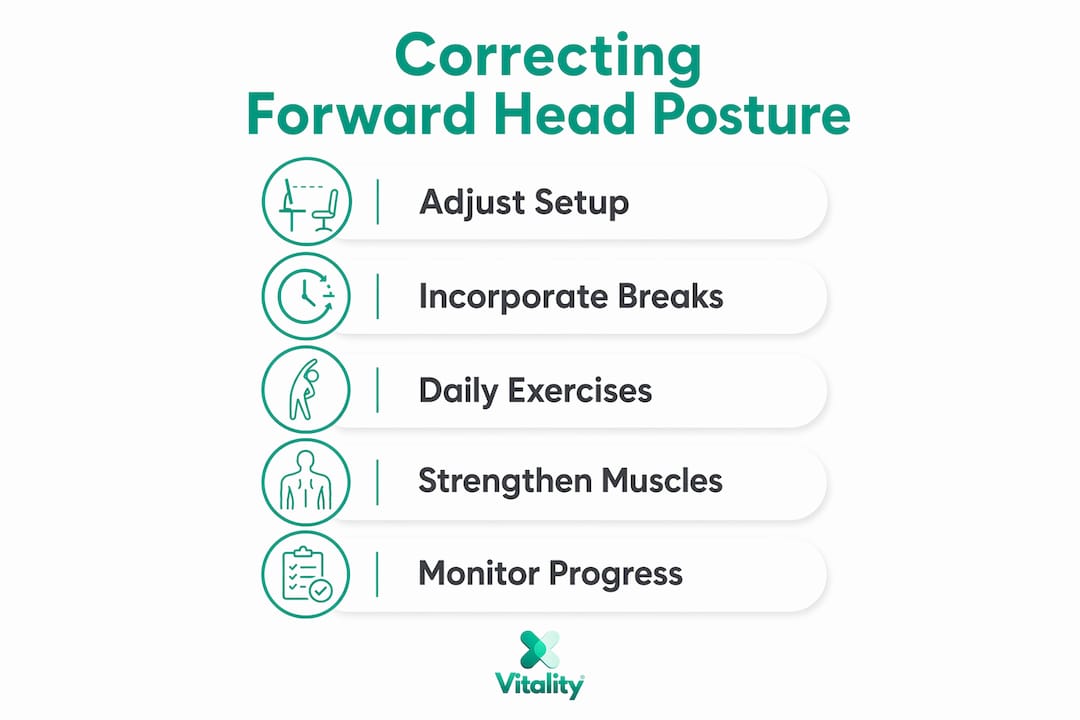
Consistency beats intensity here. Ten minutes of chin tucks and thoracic work daily outperforms a 45-minute session once a week.
What to expect: timeline and signs of real improvement
Daily chin tucks and ergonomic adjustments typically produce visible posture changes within 4–8 weeks. Mild cases often respond faster; chronic poor posture that has built up over years usually requires up to 2–3 months of consistent work before measurable structural change appears.
Early signs you are on track:
- Less neck fatigue by mid-afternoon
- Fewer tension headaches originating at the base of the skull
- Reduced urge to lean toward your screen
- Morning stiffness that clears faster than before
The muscles that shorten from prolonged sitting (pectorals, upper trapezius) respond to stretching within weeks. The muscles that weaken (deep cervical flexors, mid-trapezius) take longer to rebuild. Staying consistent with both sides of that equation is what drives lasting results. Stopping once symptoms ease is the most common reason people relapse.
How Vitalitytherapy’s MagicPro devices support neck recovery
Ergonomic adjustments and exercises address the cause. When the neck is already stiff and sore, targeted therapy helps the muscles recover faster so you can stay consistent with your routine.
Vitalitytherapy’s MagicPro 2.0 combines electrical muscle stimulation (EMS), heat, and massage in a single compact device. EMS sends gentle electrical signals through the cervical muscles to reduce tension and improve circulation. Heat softens tight tissue. Massage promotes recovery. The device is designed for about 15 minutes of daily use at your desk, at home, or in transit.
Key benefits for desk workers:
- Targeted muscle relaxation without leaving your workspace
- Heat therapy that loosens the tight cervical and upper trapezius muscles that forward head posture creates
- EMS stimulation that activates underused muscles, complementing the strengthening work from exercises
- Doctor-recommended design built for daily use alongside ergonomic and exercise habits
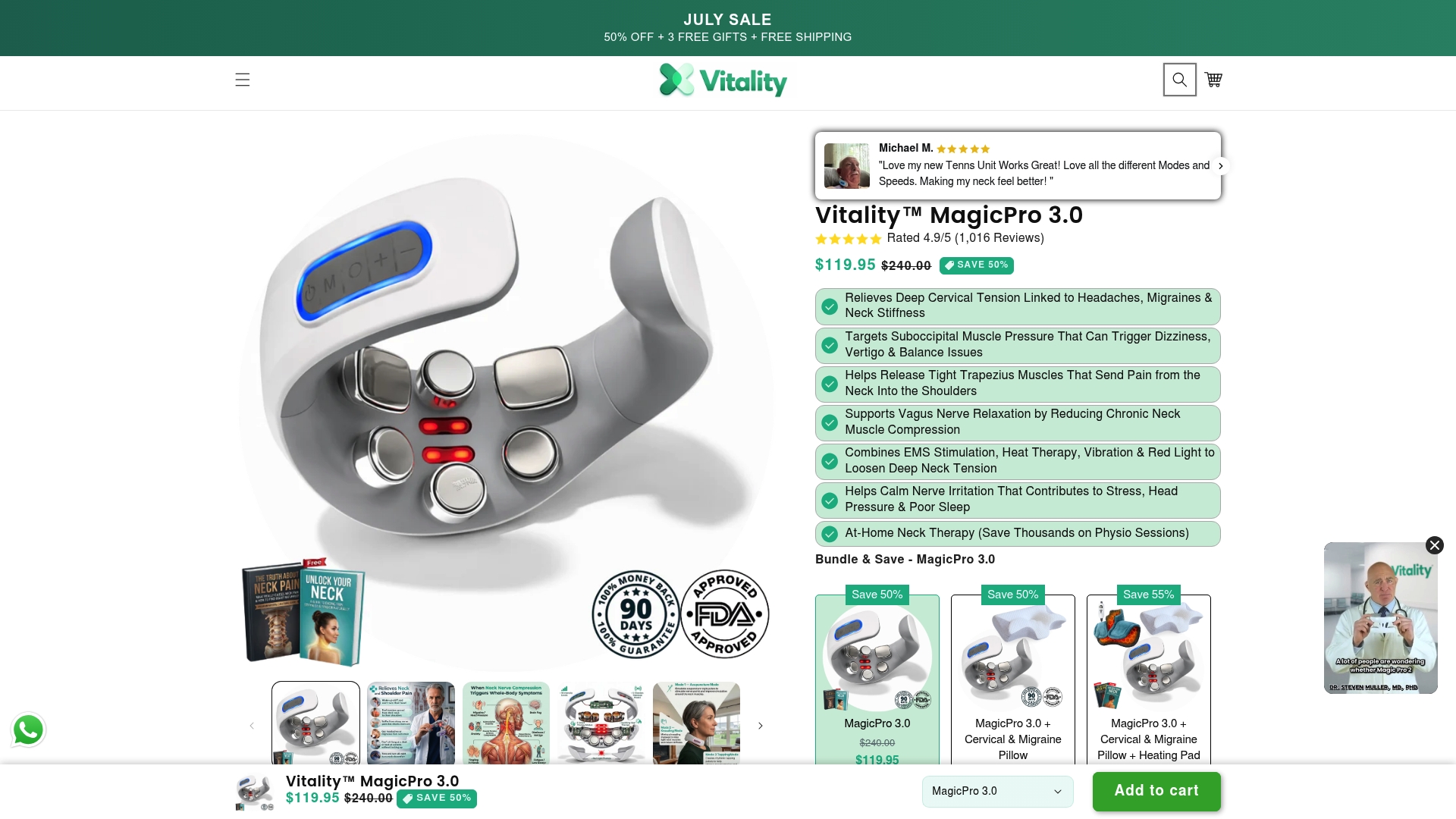
Vitalitytherapy’s MagicPro devices work best as a complement to the ergonomic and exercise strategies above, not a replacement for them. Explore the full MagicPro™ therapy range to find the option that fits your routine.
Which muscles drive forward head posture
Forward head posture is not a single-muscle problem. It involves two groups pulling in opposite directions, with one side winning.
Overactive and tight muscles (pulling the head forward):
- Upper trapezius and levator scapulae (elevate and tilt the head forward)
- Sternocleidomastoid (rotates and flexes the neck)
- Suboccipital muscles at the base of the skull (compress and shorten)
- Pectoralis major and minor (round the shoulders, feeding the forward position)
Weak and lengthened muscles (supposed to hold the head back):
- Deep neck flexors: longus colli and longus capitis (the primary targets of chin tuck exercises)
- Lower and mid-trapezius (stabilize the shoulder blades and upper back)
- Rhomboids (retract the shoulder blades)
- Deep cervical extensors (support the natural cervical curve)
Addressing only one side, stretching without strengthening or vice versa, produces limited results. Effective posture improvement techniques target both groups simultaneously.
Common causes and risk factors for desk workers
Forward head posture rarely develops from one habit. It accumulates from several compounding factors.
- Low monitor placement: A screen below eye level forces the head to tilt down for hours, the most direct mechanical cause
- Laptop-only setups: The built-in screen is always too low relative to the keyboard, making neutral posture geometrically impossible
- No lumbar support: When the lower back rounds and slumps, the entire spine compensates by pushing the head forward
- Prolonged static sitting: Holding any position for hours fatigues stabilizer muscles, and the head drifts forward as they tire
- Phone use during breaks: Looking down at a phone during breaks means the neck rarely experiences neutral alignment during the workday
- Stress and tension: Anxiety causes the shoulders to creep upward and the neck to shorten, reinforcing the forward position
- Weak posterior chain: Underactive glutes and thoracic extensors shift the body’s center of gravity forward, pulling everything above with it
Remote workers face compounding risk. Home setups often lack proper chairs, monitor stands, and dedicated workspace, and many people work from couches or beds where neutral alignment is structurally impossible.
How to assess your own posture and spot early warning signs
You do not need a clinical assessment to get a useful baseline. A side-profile photo taken against a wall tells you most of what you need to know. If your ear sits noticeably in front of your shoulder, forward head posture is present.
Early warning signs to watch for:
- Neck stiffness that appears by mid-morning and worsens through the day
- Tension headaches starting at the base of the skull
- A dull ache between the shoulder blades
- Numbness or tingling down one or both arms (this warrants professional evaluation)
- Feeling the urge to “crack” your neck repeatedly for relief
Check your office posture problems regularly, not just when pain appears. A posture brace worn briefly during desk work can serve as a useful alignment reminder, though it should not replace active strengthening. The goal is building the muscular endurance to hold neutral alignment on your own.
Key Takeaways
Correcting forward head posture at a desk requires fixing the environment first, then building the muscular strength to hold neutral alignment through consistent daily exercise.
| Point | Details |
|---|---|
| Ergonomic setup is the foundation | Monitor top edge at eye level, chair lumbar support set before adjusting screen or peripherals. |
| Chin tucks are the priority exercise | Three sets of 10 reps, three times daily, directly strengthens the deep neck flexors that weaken first. |
| Expect 4–8 weeks for visible change | Mild cases improve faster; chronic posture issues typically need up to 2–3 months of consistent daily work. |
| Movement breaks outperform static posture | Standing or stretching every 30–45 minutes reduces musculoskeletal strain more than any fixed ergonomic device. |
| Thoracic mobility unlocks neck relief | Mid-back stiffness is often the root cause; foam roller thoracic extensions address what neck stretches alone cannot. |