


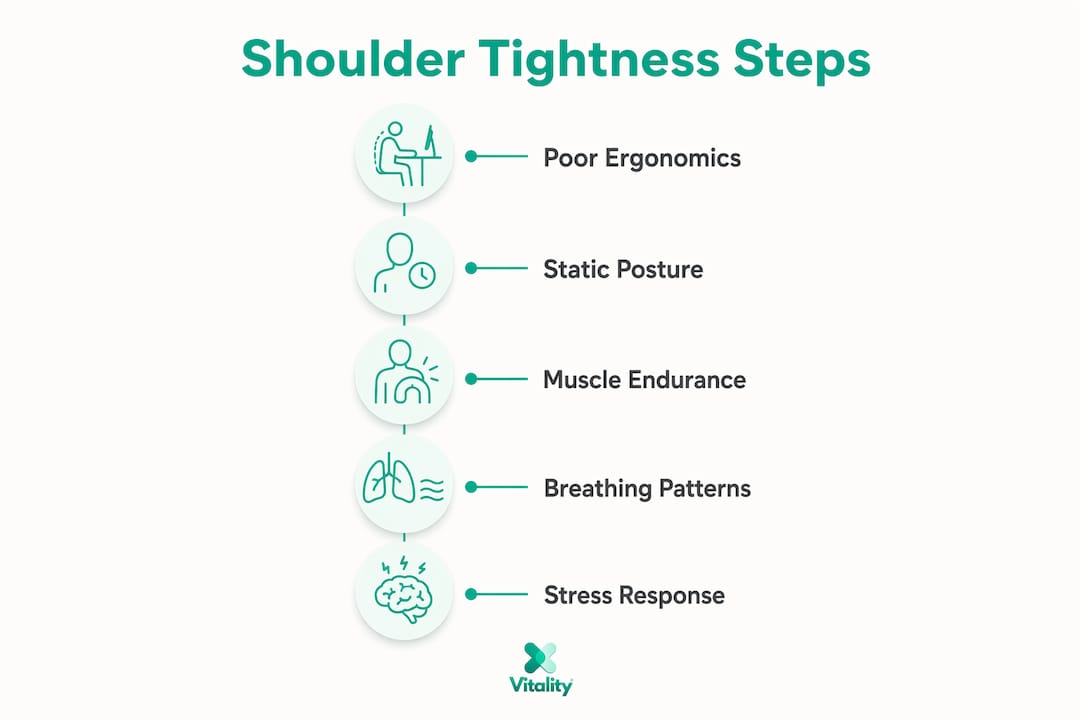
Shoulder tightness during typing is defined as sustained low-level muscle contraction in the upper trapezius, levator scapulae, and rhomboids caused by prolonged static posture and repetitive loading. This is the clinical reality behind why shoulders tighten during typing, and it affects far more people than most realize. Nearly 9 out of 10 office workers using computers for extended periods show signs of scapular dyskinesis, a condition where the shoulder blade moves abnormally due to muscle imbalance. The human head weighs 10–12 pounds at rest, and forward head posture adds roughly 10 pounds of load per inch it shifts forward. That math explains why your shoulders feel like concrete by mid-afternoon.
Why do shoulders tighten during typing?
The core mechanism is muscle fatigue from low-level sustained contraction. Unlike heavy lifting, typing does not demand explosive force. Instead, it asks your upper trapezius and scapular muscles to hold a low-intensity contraction for hours without rest. Sustained low-level contraction causes metabolite buildup, local tissue irritation, and eventually pain.
Three muscle groups carry most of this load:
- Upper trapezius: Runs from the base of your skull to your shoulder tips. It activates constantly to hold your arms in a typing position, even when you feel relaxed.
- Levator scapulae: Connects the neck to the top of the shoulder blade. Forward head posture keeps this muscle in a near-permanent stretch-under-load state.
- Rhomboids: Sit between your shoulder blades. Rounded shoulders pull them into a lengthened, weakened position that forces the upper trapezius to compensate.
Scapular dyskinesis compounds the problem. When the shoulder blade moves abnormally, the rotator cuff and surrounding muscles work harder to stabilize the joint. Muscle endurance of scapular stabilizers predicts pain better than static posture in desk workers. That finding reframes the entire problem: the goal is not perfect posture, it is building the endurance to sustain any posture without breakdown.
Pro Tip: If your shoulders feel tight within the first hour of typing, the problem is likely muscle endurance, not your chair. Start with scapular strengthening exercises before adjusting your workstation.
How do ergonomic factors and typing posture cause shoulder tension?
Poor ergonomics multiplies the load your muscles already carry. The most common mistakes are not dramatic. They are small misalignments that accumulate over hours.
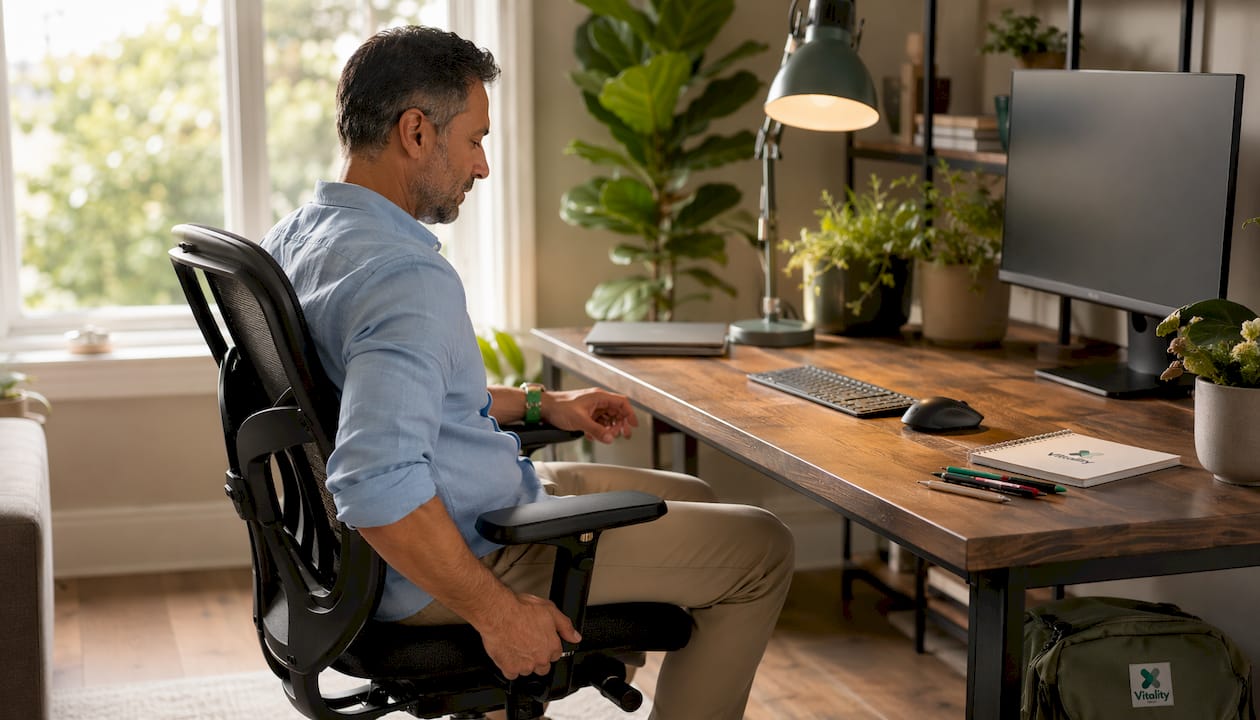
Improper chair seat height is one of the most overlooked risk factors. When your chair is too low, your shoulders shrug upward to reach the keyboard. When it is too high, your arms hang unsupported and your upper trapezius fires continuously to hold them in place. Either way, the muscle never rests.
Keyboard and mouse placement create asymmetric strain. Reaching outside shoulder alignment for a mouse causes the mouse-side shoulder to work significantly harder than the other. Over a full workday, this imbalance accumulates into one-sided tightness and eventual pain. Many people notice their right shoulder is far tighter than their left, and lateral mouse placement is usually the reason.
Common posture mistakes that drive shoulder tension include:
- Rounded shoulders: Pulls the chest inward and locks the shoulder blades in a protracted position, overloading the rhomboids and upper trapezius.
- Forward head posture: Each inch forward from neutral adds roughly 10 pounds of effective load to the cervical and shoulder muscles.
- Elbows flared outward: Forces the shoulder into internal rotation and increases upper trapezius activation.
- Screen too low or too high: Drives either chin-down or chin-up posture, both of which alter shoulder blade mechanics.
Prolonged static positioning is the final multiplier. Even a well-set-up workstation causes muscle fatigue if you never move. The body is designed for motion, not sustained stillness. Sitting in one position for more than 30 minutes without variation reduces circulation to the working muscles and accelerates metabolite buildup.
Pro Tip: Set a timer for every 25 minutes. Stand, roll your shoulders backward five times, and take three deep belly breaths. This single habit interrupts the static contraction cycle before it reaches the pain threshold.
You can also review common office posture problems to identify which patterns apply to your specific setup.
What role do breathing and nervous system stress play in shoulder tightness?
Breathing pattern is a hidden driver of shoulder muscle tightness, and most people never consider it. Chest breathing, where the ribcage rises and falls instead of the belly expanding, recruits the upper trapezius and scalene muscles as accessory breathing muscles. Shallow chest breathing during computer work causes over 20,000 extra contractions daily in neck and shoulder muscles. That number is not a metaphor. It is the direct mechanical cost of breathing incorrectly at a rate of 14–18 breaths per minute.
The nervous system adds another layer. Chronic work stress activates the sympathetic nervous system, the body’s threat-response system. When that system stays activated, the muscles around the neck and shoulders enter a low-grade protective brace. Chronic stress triggers this involuntary muscular guarding, and no amount of stretching will fully release it while the nervous system remains in that state.
The sequence looks like this:
- Deadline pressure or screen fatigue activates the sympathetic nervous system.
- The body interprets this as a low-level threat and braces the shoulder girdle.
- Chest breathing takes over, recruiting the upper trapezius with every breath.
- Metabolites accumulate in already-fatigued muscles.
- Tightness becomes the baseline, not the exception.
Stretching alone provides only temporary relief because it does not address the underlying muscle over-recruitment or the nervous system signals that keep those muscles contracted. Lasting relief requires retraining both the breathing pattern and the stress response, not just lengthening the tissue.
How can you relieve and prevent shoulder tightness from typing?
Relief and prevention require a layered approach. Ergonomics, exercise, breathing, and stress management each address a different part of the problem. Skipping any one of them creates a ceiling on your results.
Ergonomic adjustments
Start with your chair. Your elbows should rest at roughly 90 degrees with your forearms parallel to the floor. Your keyboard should sit directly in front of you, not off to one side. Move your mouse as close to the keyboard as possible to eliminate lateral reach. For a full setup walkthrough, the office chair neck support guide covers seat height, armrest positioning, and monitor placement in detail.
Endurance-building exercises
Stretching feels good but does not build the capacity your muscles need. Targeted endurance exercises combined with ergonomic improvements reduce shoulder muscle fatigue more effectively than either approach alone. Focus on:
- Prone Ys: Lie face down and raise your arms into a Y shape, squeezing your lower trapezius. Hold for three seconds. Repeat 10 times.
- Neck flexor endurance holds: Tuck your chin gently and hold your head just off a pillow for 10 seconds. This builds deep cervical flexor strength that reduces upper trapezius compensation.
- Serratus anterior wall slides: Stand facing a wall, press your forearms against it, and slide them upward while keeping your shoulder blades flat. This activates the serratus anterior, which is critical for scapular stability and reduces compensatory upper trap overuse.
Breathing and stress retraining
Practice diaphragmatic breathing for five minutes before your workday starts. Place one hand on your belly and one on your chest. The belly hand should rise; the chest hand should stay still. This single practice reduces accessory muscle recruitment with every breath you take throughout the day.
Sleep quality directly affects muscle recovery. Poor sleep keeps the sympathetic nervous system elevated, which means your shoulders start each day already partially braced. Prioritizing seven to nine hours of sleep is not optional for people with chronic shoulder tension. It is part of the treatment.
Pro Tip: Pair every stretching session with one strengthening exercise. Stretching without strengthening creates temporary flexibility but leaves the muscle unable to hold the new range under load.
For structured movement routines, neck mobility exercises for seated workers offer a practical starting point that addresses both flexibility and endurance.
Key Takeaways
Shoulder tightness during typing results from sustained low-level muscle contraction, and lasting relief requires addressing posture, endurance, breathing, and nervous system regulation together.
| Point | Details |
|---|---|
| Root cause is sustained contraction | Low-level static muscle engagement, not heavy load, drives upper trapezius fatigue and pain. |
| Endurance beats perfect posture | Building scapular stabilizer endurance predicts pain reduction better than correcting posture alone. |
| Breathing adds 20,000+ contractions daily | Chest breathing recruits shoulder muscles with every breath, compounding existing fatigue significantly. |
| Ergonomics and exercise must work together | Fixing your chair without strengthening muscles, or vice versa, creates a plateau in results. |
| Nervous system stress keeps muscles braced | Stretching alone fails when chronic stress keeps the sympathetic nervous system in a guarded state. |
The part most people skip entirely
After years of working with people who type for a living, the pattern I see most often is this: someone buys a new chair, adjusts their monitor, and does a few shoulder rolls, then wonders why nothing changes after two weeks. The ergonomics matter, but they address maybe 40% of the problem.
The piece that gets skipped is endurance. Your upper trapezius does not hurt because it is weak in the traditional sense. It hurts because it has been asked to hold a low-level contraction for six to eight hours without the supporting muscles sharing the load. The lower trapezius and serratus anterior are almost always undertrained in desk workers. When those muscles are not doing their job, the upper trapezius picks up the slack, and it never gets a break.
The breathing piece surprises people most. I have seen shoulder tension resolve significantly in people who changed nothing about their workstation but spent two weeks retraining their breathing pattern. The upper trapezius is an accessory breathing muscle. If you breathe with your chest all day, it is contracting thousands of times more than it should. That is not a posture problem. That is a breathing problem wearing a posture costume.
My honest recommendation: spend less time stretching and more time building endurance in the muscles that are supposed to be doing the work. Add diaphragmatic breathing practice. Manage your sleep. The shoulder tension you feel by 3 PM is not inevitable. It is a signal that the system is overloaded, and the system can be retrained.
— Achraf
Vitalitytherapy’s approach to neck and shoulder relief
Shoulder and neck tension from typing rarely resolves with a single strategy. When muscle fatigue, poor posture, and nervous system stress combine, the tissue needs direct therapeutic support alongside the lifestyle adjustments you are already making.
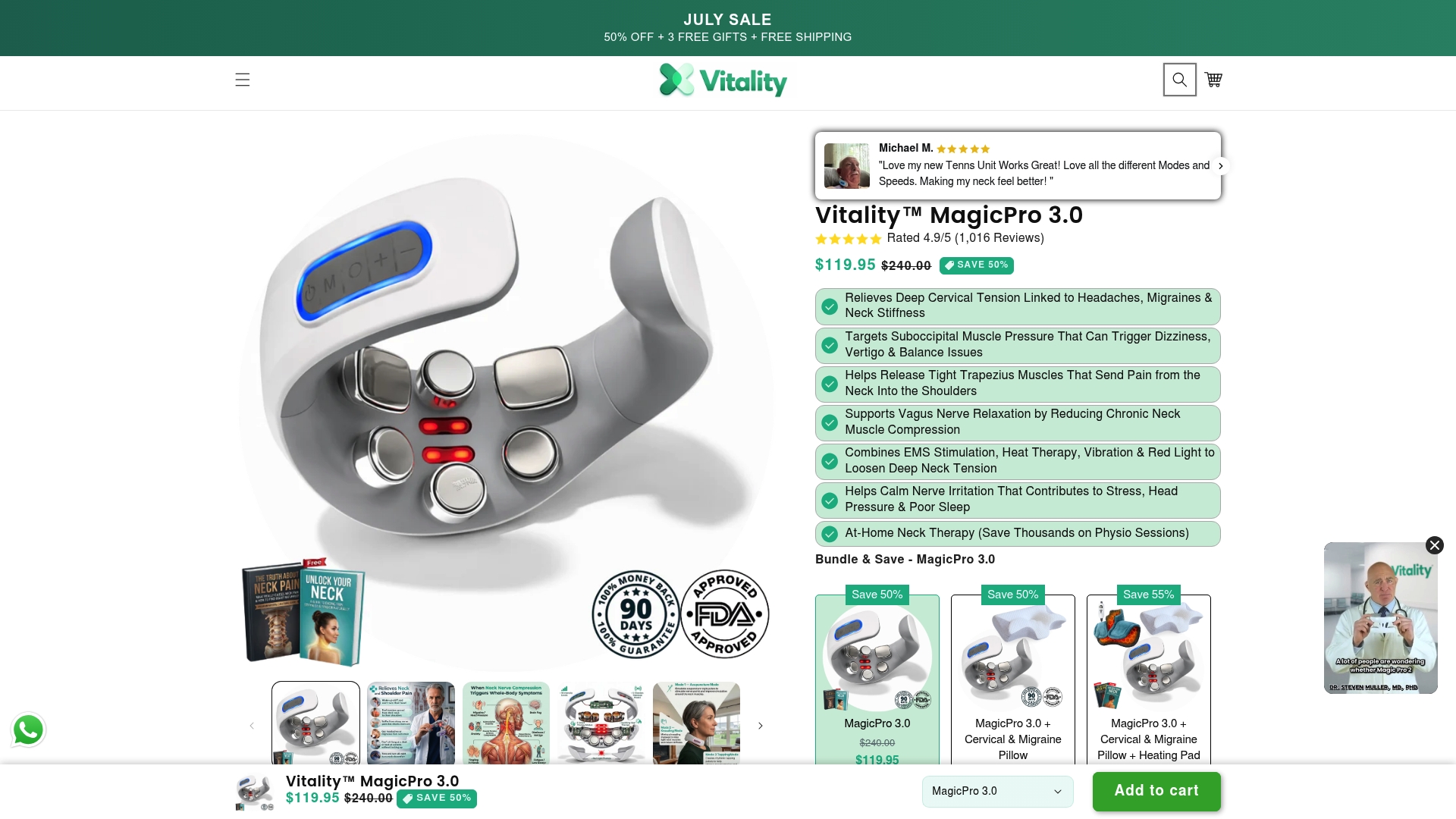
Vitalitytherapy’s MagicPro devices combine electrical muscle stimulation, heat, and massage to deliver targeted relief in 15 minutes per day. These doctor-recommended devices work by sending gentle electrical signals into the cervical and shoulder muscles, interrupting the pain-tension cycle at the tissue level. The MagicPro 2.0 and MagicPro 3.0 are compact enough to use at your desk, during a commute, or at home. Customers consistently report reduced neck and shoulder discomfort after regular use. If you are ready to add a direct therapeutic layer to your recovery, the Neck & Nerve Relief collection is a practical place to start.
FAQ
Why do my shoulders tighten specifically during typing?
Typing requires your upper trapezius and scapular muscles to hold a low-level contraction for hours. That sustained static engagement causes metabolite buildup and local tissue irritation, which the brain registers as tightness and pain.
Does posture correction alone fix shoulder tightness from typing?
Posture correction helps but is not sufficient on its own. Muscle endurance of scapular stabilizers predicts pain reduction better than static posture, so strengthening exercises must accompany any ergonomic changes.
Can stress make shoulder tightness worse during computer work?
Yes. Chronic stress activates the sympathetic nervous system, which triggers involuntary muscular bracing in the neck and shoulders. This protective tension persists even when physical posture is correct.
How does breathing affect shoulder muscle tightness?
Chest breathing recruits the upper trapezius as an accessory breathing muscle. At a normal breathing rate of 14–18 breaths per minute, this adds over 20,000 extra muscle contractions daily to muscles already fatigued from typing.
What exercises help most with typing-related shoulder tightness?
Prone Ys, neck flexor endurance holds, and serratus anterior wall slides target the muscles that reduce upper trapezius overload. Pairing these with diaphragmatic breathing retraining addresses both the mechanical and nervous system contributors to tightness.