


The most common sitting posture mistakes hurting your neck
Most neck pain and muscle tension trace back to a handful of poor sitting habits that repeat dozens of times a day. Recognizing them is the first step toward relief.
- Forward head posture: Your head drifts forward of your shoulders, adding significant pressure to your cervical muscles for every inch it moves away from center.
- Perching on the chair edge: Sitting on the front third of your seat eliminates lumbar support entirely, collapsing your lower back and sending tension upward.
- Crossing your legs: This tilts your pelvis to one side, creating a chain reaction of spinal imbalance that reaches your neck.
- Phone cradling: Wedging your phone between your ear and shoulder forces your cervical spine into a hard lateral bend, straining muscles on both sides unevenly.
- No movement breaks: Staying static beyond 30–45 minutes causes muscle fatigue and reduces circulation to spinal discs.
- Monitor too low: Looking downward all day adds compressive load to the neck that accumulates over hours.
- Improper chair recline: Sitting bolt upright at 90 degrees increases disc pressure in your lower back, while reclining past 120 degrees forces your head to crane forward.
Each of these mistakes is correctable. The sections below explain exactly what each one does to your body and how to fix it.
Table of Contents
- How each posture mistake physically affects your neck and spine
- How to correct poor sitting habits and relieve neck tension
- How Vitalitytherapy’s MagicPro devices support neck pain relief
- Building ergonomic habits that protect your neck long-term
- Key Takeaways
How each posture mistake physically affects your neck and spine
Forward head posture is the most damaging of the common sitting posture mistakes for cervical health. Leaning toward a screen increases neck muscle pressure with every inch the head moves forward, because the cervical muscles must work harder to hold the skull up against gravity. Over a full workday, that sustained effort exhausts the muscles and compresses the discs between vertebrae.
Perching on the chair edge removes the lumbar curve entirely. Without that curve, the whole spine rounds into a “C” shape, and the upper back and neck muscles compensate by pulling backward. The result is a slow buildup of tension across the trapezius and levator scapulae muscles that many people feel as a persistent knot between the shoulder blades.

Crossing your legs shifts your pelvis laterally and rotates your sacrum. Feet that are uneven or dangling tilt the pelvis and disrupt spinal alignment from the base upward, meaning the imbalance travels all the way to the cervical spine. Physical therapists note that uneven weight distribution is as harmful as poor posture because it leads to spinal curvature and nerve irritation.
Phone cradling is a concentrated version of the same problem. The neck holds an asymmetrical load for minutes at a time, and the muscles on the compressed side shorten while the opposite side stretches. Chronic repetition of this pattern leads to persistent shoulder and neck tension that does not resolve with rest alone. For commuters, tech neck from phone use in transit strains the cervical spine and causes chronic neck discomfort.
Static postures deserve special attention. Subtle muscle contractions like shoulder hunching while typing or gripping a steering wheel tightly accumulate tension over hours without the person noticing. The spine is designed for movement, and even a well-adjusted chair cannot substitute for periodic position changes. Experts frame it this way: the next posture is more important than any single perfect sitting position, because the spine requires movement to stay healthy.
Armrest height is an often-overlooked contributor. Armrests that force shoulders upward or push elbows too wide increase neck strain by keeping the trapezius in a constant low-grade contraction. Adjustable armrests that support relaxed shoulders and 90-degree elbows remove that load entirely.
How to correct poor sitting habits and relieve neck tension
Correcting these habits does not require expensive equipment. Most fixes are adjustments you can make right now.
Chair and seat setup:
- Set chair height so your feet rest flat on the floor and your knees sit at a comfortable angle. Use a footrest if your feet dangle.
- Sit all the way back so the backrest contacts your lumbar spine. Leave 2–4 finger widths between the back of your knees and the seat edge.
- Recline your chair to a slightly reclined angle. This angle reduces disc pressure compared to sitting fully upright, without forcing your head to move forward.
- Adjust armrests so your elbows rest lightly at 90 degrees with shoulders relaxed. If the armrests push your elbows outward or elevate your shoulders, remove them.
Monitor and device positioning:
- Raise your monitor so the top of the screen aligns with your eye level. This single change prevents the forward head lean that drives most desk-related neck pain.
- Keep your keyboard and mouse close enough that your elbows stay near your sides. Reaching forward activates shoulder muscles unnecessarily.
- Hold your phone at eye level rather than tilting your head down. For calls, use a speakerphone or a headset to eliminate phone cradling entirely.
Movement and micro-breaks:
- Stand, stretch, or shift position every 30–45 minutes. Even a 30-second shoulder roll or chin tuck resets the cervical muscles.
- Try neck retractions: gently pull your chin straight back as if making a double chin, hold for 5 seconds, and repeat several times. This counteracts forward head drift.
- Cat-cow stretches, seated spinal twists, and hip flexor lunges after prolonged sitting restore mobility and reduce accumulated tension. For a structured recovery plan, active recovery exercises for neck pain can guide your routine.
Pro Tip: Set a recurring timer every 30 minutes during your workday. When it goes off, do one chin tuck and one shoulder roll before resetting. Consistency over intensity is what changes chronic tension patterns.
How Vitalitytherapy’s MagicPro devices support neck pain relief
Posture correction addresses the cause of neck tension, but the muscles that have been under strain for weeks or months often need direct therapeutic support to recover. This is where Vitalitytherapy’s MagicPro devices fill a gap that stretching alone cannot.
The MagicPro 2.0 combines electrical muscle stimulation (EMS), targeted heat, and massage in a single wearable device. EMS sends gentle electrical pulses into the cervical muscles, interrupting the cycle of chronic static contraction that builds up from poor sitting habits. Heat increases circulation to the area, which helps relax tight tissue and supports recovery. Together, these three modalities deliver therapeutic relief in as little as 15 minutes per day, whether you are at your desk, on a commute, or at home.
Doctor-recommended and designed for daily use, the MagicPro 2.0 fits into the corrective routine described in this article rather than replacing it. You address the posture mistake, you give the muscles a movement break, and then you use the device to clear the residual tension that posture correction alone cannot fully resolve. For a deeper look at how neck stiffness from desk work develops and responds to therapy, Vitalitytherapy’s resource library covers the physiology in accessible detail.
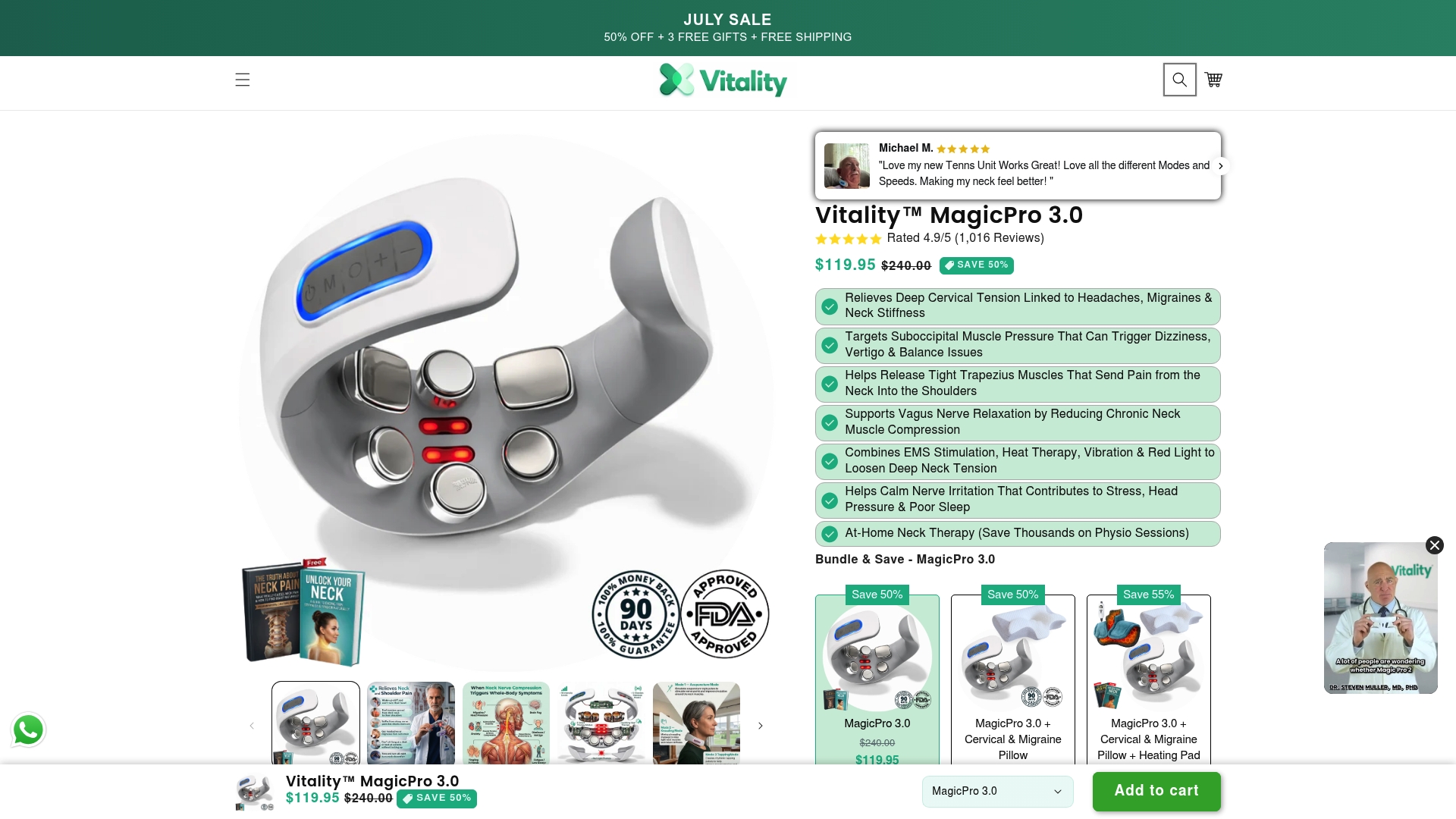
Explore the full range of therapeutic devices at Vitalitytherapy’s device collection to find the option that fits your daily routine.
Building ergonomic habits that protect your neck long-term
Correcting individual posture mistakes matters, but lasting neck health comes from building a consistent environment and routine around good alignment.
Ergonomic setup basics:
- Use a chair with adjustable lumbar support, or place a rolled towel at the small of your back. Lumbar support prevents the lower-back rounding that triggers upper-back and neck compensation. For a complete setup walkthrough, the office chair neck support guide covers every adjustment point.
- Keep frequently used items within arm’s reach. Twisting or reaching repeatedly to one side creates the same asymmetrical loading as carrying a bag on one shoulder.
- Distribute weight evenly. Whether you are sitting, standing, or commuting, carrying bags asymmetrically causes spinal curvature and nerve irritation over time. Use both backpack straps, or alternate shoulders regularly.
Commuting posture awareness:
Many people treat car seats as lounges, which causes poor alignment that triggers neck and shoulder tension even during short drives. Reclining a car seat too far causes drivers to push their head forward unnaturally, creating chronic tension before the commute ends. Set your car seat to 100–110 degrees, position the headrest so it touches the back of your head, and keep both hands relaxed on the wheel. On public transit, sit fully back in the seat, keep feet flat, and hold your phone at eye level. For a full commuter posture checklist, travel posture guidance covers both driving and transit scenarios.
Signs that posture problems may be worsening:
- Morning stiffness that requires several minutes to resolve after waking
- A persistent knot or tightness in the upper trapezius that returns within hours of stretching
- Headaches that begin at the base of the skull and worsen through the afternoon
- Reduced ability to rotate your head fully when checking blind spots while driving
- Tingling or numbness in the fingers, which can indicate nerve compression from chronic forward head posture
Any of these signs warrants prompt attention. Posture-related nerve irritation and disc compression do not resolve on their own when the underlying habits remain unchanged. Addressing the ergonomic setup, adding movement breaks, and supporting recovery with targeted therapy gives the cervical spine the conditions it needs to heal. You can also review common office posture problems for a broader picture of how sitting habits affect the whole spine.
Key Takeaways
The most effective way to relieve neck pain from sitting is to correct the specific posture mistake causing it, add movement every 30–45 minutes, and support muscle recovery with targeted therapy.
| Point | Details |
|---|---|
| Forward head posture is the primary driver | Every inch the head moves forward increases pressure on cervical muscles, making monitor height the most important desk adjustment. |
| Movement breaks every 30–45 minutes | Static postures beyond this window cause muscle fatigue and reduce circulation, even when seated correctly. |
| Chair recline of 100–110 degrees | This angle reduces lower back disc pressure compared to sitting fully upright at 90 degrees. |
| Uneven weight distribution causes nerve irritation | Asymmetrical bag carrying and leg crossing both lead to spinal curvature and nerve compression over time. |
| Therapeutic devices complement posture correction | EMS, heat, and massage address residual muscle tension that stretching and ergonomic adjustments alone cannot fully clear. |