


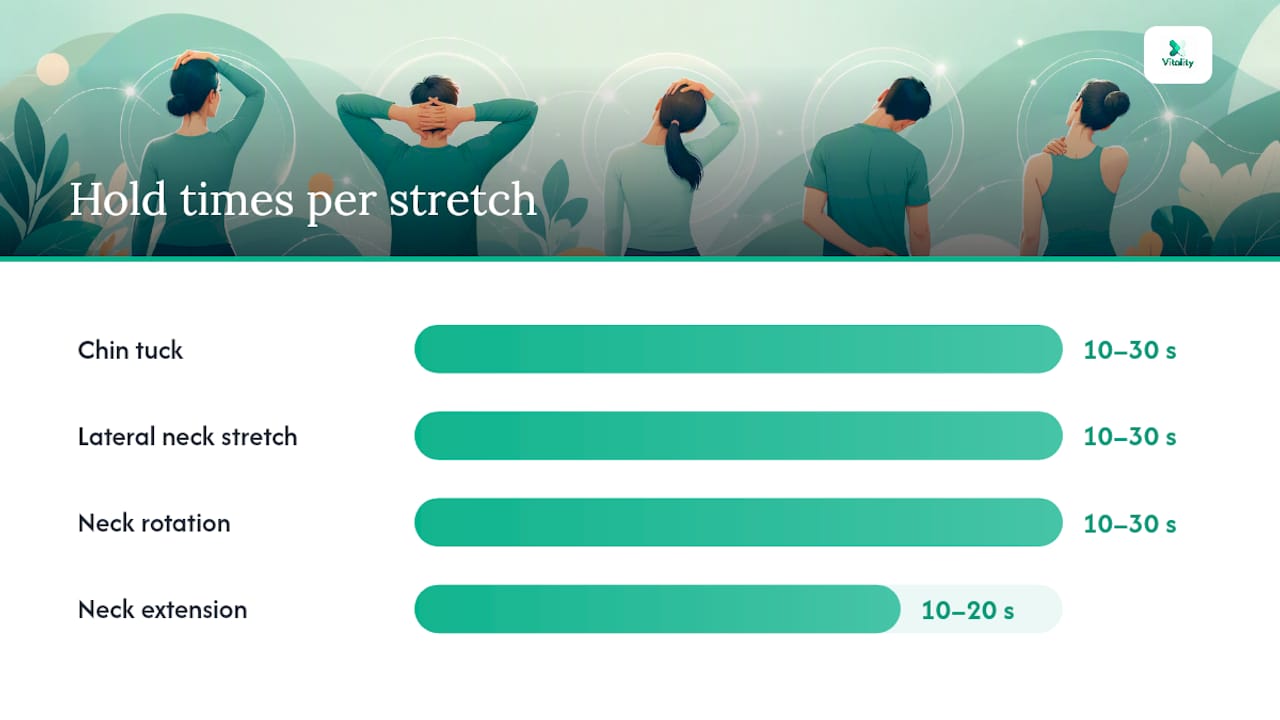
Three neck stretches you can start right now: chin tucks, lateral neck stretches, and gentle neck rotations. Together, they take under five minutes and require nothing but your chair. According to Mayo Clinic, hold each stretch 10–30 seconds, move slowly, never bounce, and stop immediately if you feel sharp pain. That single rule covers nearly every desk-safe stretch you will ever do.
- Chin tuck: Sit tall, gently draw your chin straight back (not down), hold for 10–30 seconds, repeat 3 times. Targets the deep cervical flexors and counters forward-head posture.
- Lateral neck stretch: Tilt your right ear toward your right shoulder, keep the left shoulder relaxed, hold for 10–30 seconds, then switch sides.
- Gentle neck rotation: Turn your head slowly to the right until you feel a mild stretch, hold for 10–30 seconds, return to center, then rotate left.
Pro Tip: Exhale as you ease into each stretch. Releasing breath reduces muscle guarding and lets you reach a slightly deeper range without forcing it.
Mayo Clinic’s office stretches guidance confirms that short fitness breaks during the workday prevent stiffness and need no special equipment. You can do every stretch in this guide without leaving your seat.
Table of Contents
- What are the best neck stretches to do at your desk?
- How often should you stretch your neck during the workday?
- A ready-to-use 3–5 minute desk routine you can follow right now
- When is neck stretching not enough? Safety rules and red flags
- How ergonomics make your stretches actually work long-term
- Key Takeaways
- Why short stretches during the workday matter more than most people realize
- Persistent stiffness? My Vitality’s devices complement your desk routine
- Useful sources and further reading
What are the best neck stretches to do at your desk?
Five stretches cover the full range of motion most desk workers lose over a long day. The table below summarizes each one; detailed steps follow.
| Stretch | Target area | Hold time | Reps | Modification |
|---|---|---|---|---|
| Chin tuck | Deep cervical flexors | 10–30 s | 3–5 | Press fingertips lightly on chin for gentle resistance |
| Lateral neck stretch | Upper trapezius, scalenes | 10–30 s | 2–3 per side | Rest opposite hand under thigh to anchor the shoulder |
| Neck rotation | Cervical rotators | 10–30 s | 2–3 per side | Reduce range if standing; seated version is equally effective |
| Neck extension | Posterior cervical muscles | 10–20 s | 2–3 | Avoid if you have disc issues; tilt only to mild tension |
| Shoulder roll | Trapezius, levator scapulae | 5 slow circles | 3 sets | Reduce circle size if the shoulder clicks or aches |
Chin tuck is the most clinically recommended move for office neck stretches because it directly retrains the muscles that forward-head posture weakens. Sit with your back against the chair, eyes level, and draw the chin straight back as if making a “double chin.” Hold, release, repeat.
Lateral neck stretch targets the upper trapezius, the muscle most people feel tighten during long calls. Anchor the opposite hand under your thigh to keep the shoulder from rising. That small detail doubles the stretch intensity without adding any risk.
Neck rotation works best when you pause at the end range rather than swinging through it. Slow, held rotations improve circulation to the cervical discs more effectively than quick back-and-forth movements.
Neck extension (gentle backward tilt) relieves compression from hours of looking down at a screen. Keep the range small — just to mild tension — and skip it entirely if you have a known disc problem.
Shoulder rolls finish the sequence by releasing the levator scapulae, which connects the shoulder blade to the upper cervical spine. Roll backward, not forward, to counteract the rounded-shoulder position most desk workers default to.
Pro Tip: Pair each stretch with three slow breaths. Inhale to prepare, exhale to deepen, inhale again before releasing. This rhythm keeps the nervous system calm and prevents the reflex muscle tightening that cuts a stretch short.
How often should you stretch your neck during the workday?
Stretch every 30–60 minutes for 1–3 minutes, or take a longer 3–5 minute break every hour. MedlinePlus recommends stretching your neck every hour or so when you work at a computer — that cadence is the practical floor, not the ceiling.
Start with two or three reps per stretch, and add one rep per week as the range of motion improves. Increasing reps before increasing range is the safer progression; pushing range too early is the most common reason desk workers aggravate rather than relieve tension.
Three tactics that make hourly breaks stick:
- Set a phone or calendar reminder labeled “2-minute neck reset” every 60 minutes.
- Stretch during phone calls. Standing and doing a lateral stretch while on a call adds no time to your day.
- Combine the break with a short walk to the water cooler. Movement through the hips and spine reduces the load on the neck, not just the stretches themselves.
A ready-to-use 3–5 minute desk routine you can follow right now
This sequence totals roughly four minutes. You need only a chair with a back.
- Chin tucks — 30 seconds (5 slow reps, hold 5–6 seconds each)
- Lateral neck stretch, right side — 30 seconds
- Lateral neck stretch, left side — 30 seconds
- Slow neck rotation, right — 30 seconds
- Slow neck rotation, left — 30 seconds
- Shoulder rolls, backward — 30 seconds (5 slow circles)
- Gentle neck extension — 20 seconds
- Seated spinal reset (sit tall, roll shoulders back, take 3 deep breaths) — 30 seconds
Substitutions:
- If neck extension causes dizziness, replace it with a second set of chin tucks.
- If you are on a call without a headset, skip rotations and do lateral stretches only — they require no head movement that looks unusual on camera.
- Standing workers can do every move in this list; the chin tuck is slightly easier to feel correctly when standing.
Breathe out on every stretch. Keep your jaw relaxed. If a position causes any radiating sensation into the arm, stop and move to the next stretch.
When is neck stretching not enough? Safety rules and red flags
The core safety rule is simple: hold for a short time within a generally recommended range, move slowly, and stop at sharp pain. Forcing range or bouncing into a stretch does not accelerate progress — it triggers the stretch reflex and tightens the very muscles you are trying to release.
Avoid high-speed neck “cracking” or sudden self-adjustments. Mass General Brigham notes that rapid, forceful neck movements can compress cervical arteries and, in rare cases, cause serious vascular complications. Gentle, held stretches carry none of that risk.
Stop stretching and see a clinician if you notice any of these:
- Pain that radiates down one or both arms
- Numbness or tingling in the hands or fingers
- Progressive weakness in the arms or hands
- Neck pain following a fall or collision
- Fever, unexplained weight loss, or night sweats alongside neck pain
A physical therapist adds what self-stretching cannot: isometric strengthening, manual therapy, and supervised progressive loading. Therapeutic modalities such as TENS, targeted heat, and cervical traction are also used in supervised care to address root causes rather than just symptoms, according to Mayo Clinic’s neck pain treatment guidance.
How ergonomics make your stretches actually work long-term
Stretches relieve tension in the moment. Ergonomics prevent it from rebuilding. Dr. David Kennedy of Vanderbilt’s Spine Center emphasizes that desk stretches are most effective when combined with a properly arranged workspace and frequent movement breaks.
| Common cause | Immediate fix | Why it reduces neck load |
|---|---|---|
| Monitor too low | Raise screen to eye level | Eliminates forward-head tilt of 10–15 lbs of extra force |
| Phone cradled on shoulder | Use a headset or speakerphone | Removes sustained lateral flexion |
| Documents flat on desk | Use a document holder at eye level | Reduces repeated downward glances |
| Chair back not supporting lumbar | Adjust lumbar support or add a roll | Restores spinal curve, reducing cervical compensation |
Ergonomic checklist for your workstation:
- Monitor top edge at or just below eye level
- Elbows at roughly 90 degrees when typing
- Feet flat on the floor or on a footrest
- Chair neck support adjusted so the head rests without pushing forward
- Phone headset for calls longer than two minutes
Pro Tip: Block a recurring 5-minute calendar event at the start of each hour. Label it “posture + stretch.” The visual cue on your calendar is more reliable than willpower alone.
Harvard Health also flags vision as an underrated factor: an outdated prescription forces you to lean toward the screen, loading the cervical spine all day. An annual eye exam is a legitimate neck-pain prevention step.
Key Takeaways
Short, frequent neck stretches during work breaks — held for 10–30 seconds per stretch, done every 30–60 minutes, and paired with basic ergonomic fixes — are the most effective daily strategy for reducing desk-related neck tension.
| Point | Details |
|---|---|
| Hold time and technique | Hold each stretch for 10–30 seconds, move slowly, never bounce, and stop at sharp pain. |
| Stretch frequency | Aim for a 1–3 minute break every 30–60 minutes, or a 3–5 minute routine each hour. |
| Ergonomics matter | Monitor at eye level, headset for calls, and lumbar support reduce tension between breaks. |
| Strengthen to prevent | Add chin tucks with resistance and scapular squeezes 2–3 times weekly to reduce recurring stiffness. |
| My Vitality devices | The MagicPro 2.0 and 3.0 complement stretching with heat, electrical stimulation, and massage for persistent stiffness. |
Why short stretches during the workday matter more than most people realize
Most people treat neck stiffness as something to fix at the end of the day. That timing is the problem. Tension accumulates in layers — each hour of forward-head posture adds load, and by 5 PM the muscles have been compensating for hours. A two-minute stretch break at 10 AM interrupts that cycle before it compounds.
The evidence from Vanderbilt, Mass General Brigham, and Mayo Clinic all points in the same direction: frequency beats duration. Three minutes every hour does more than fifteen minutes once a day. The neck responds to regular, gentle input — not occasional heroic effort.
One thing worth saying plainly: stretching is not a substitute for fixing the workspace. If the monitor is too low and the chair offers no support, the muscles will retighten within minutes of finishing a routine. The stretches in this guide work best as part of a system, not as a standalone fix.
Persistent stiffness? My Vitality’s devices complement your desk routine
Stretching handles the daily reset. For stiffness that lingers past the end of the workday, My Vitality’s MagicPro 2.0 combines electrical muscle stimulation, heat, and massage in one portable device — designed to fit a 15-minute session at your desk, on the couch, or during a commute.
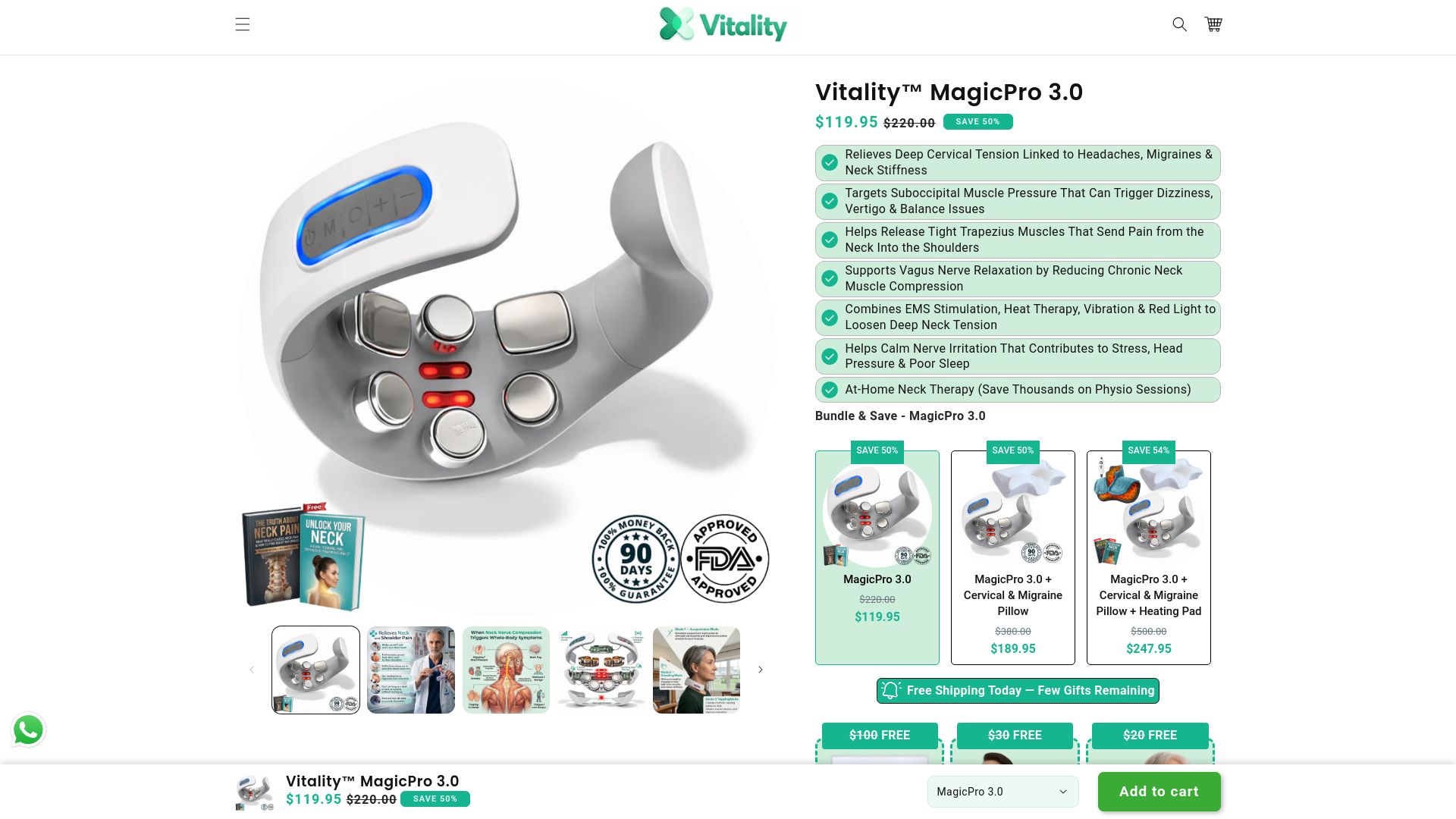
The MagicPro 3.0 adds vagus nerve stimulation and red light therapy for people whose tension connects to stress and sleep disruption. Both devices are doctor-recommended and built around the same principle as the stretches above: consistent, short sessions produce better results than infrequent long ones. Use a device after your stretch routine to extend the relief window, or at day’s end when muscles are still warm. Browse the full Vitality™ device range to find the option that fits your routine.
This article is for general informational purposes only and is not a substitute for professional medical advice. Consult a qualified clinician or physical therapist for diagnosis and personalized treatment.
Useful sources and further reading
- Mayo Clinic — neck stretches (multimedia)
- My Vanderbilt Health — Desk stretches for back, neck and shoulder
- Harvard Health — 6 ways to ease neck pain
- Mass General Brigham — Stiff neck remedies
- MedlinePlus — Neck pain or spasms: self care
- Mayo Clinic — Office stretches
- Mayo Clinic — Neck pain: diagnosis and treatment