


Run this checklist the next time your neck tightens up at your desk: check your monitor height, do 5 to 10 chin tucks, take a 60 to 90 second walk, roll your shoulders 10 times, switch your phone to speaker or headset, reset your posture for 20 seconds, and repeat every 30 to 40 minutes. Each move takes under a minute, needs no equipment, and targets a specific mechanical cause of neck strain rather than just masking the ache. Most mild to moderate neck pain is mechanical, meaning it comes from posture and muscle load rather than injury, and it typically eases within about 2 to 3 weeks with consistent conservative care.
Here is the logic behind each item, so you’re not just following steps blindly.
- Check your monitor height (20 seconds): the top of the screen should sit at or just below eye level. A screen that’s too low forces your chin down and loads the back of your neck for hours.
- Chin tucks, 5 to 10 reps: gently draw your chin straight back, like making a small double chin, and hold for 2 seconds. This activates the deep neck flexors that forward head posture switches off.
- 60 to 90 second walk: stand and move, even to the water cooler. Movement restores blood flow that static sitting cuts off.
- Shoulder rolls, 10 reps: roll shoulders backward in slow circles. This loosens the upper traps, which tighten first when you hunch toward a screen.
- Switch to speaker or headset: cradling a phone between ear and shoulder is one of the fastest ways to strain one side of the neck.
- 20-second posture reset: sit tall, pull shoulder blades gently together, chin level. Small and frequent beats one big correction you can’t maintain.
- Repeat every 30 to 40 minutes: consistency, not intensity, is what prevents the ache from building in the first place.
Pro Tip: Pair this checklist with something you already do hourly, like refilling your coffee or finishing a call. Piggybacking the routine onto an existing habit means you won’t have to remember it separately.
Key Takeaways
Neck therapy during work hours works best as a layered routine: fix the workstation first, move every 20 to 30 minutes, run targeted exercises daily, and add short device sessions where they fit.
| Point | Details |
|---|---|
| Monitor height | Keep the top of the screen at or slightly below eye level, 20 to 26 inches away. |
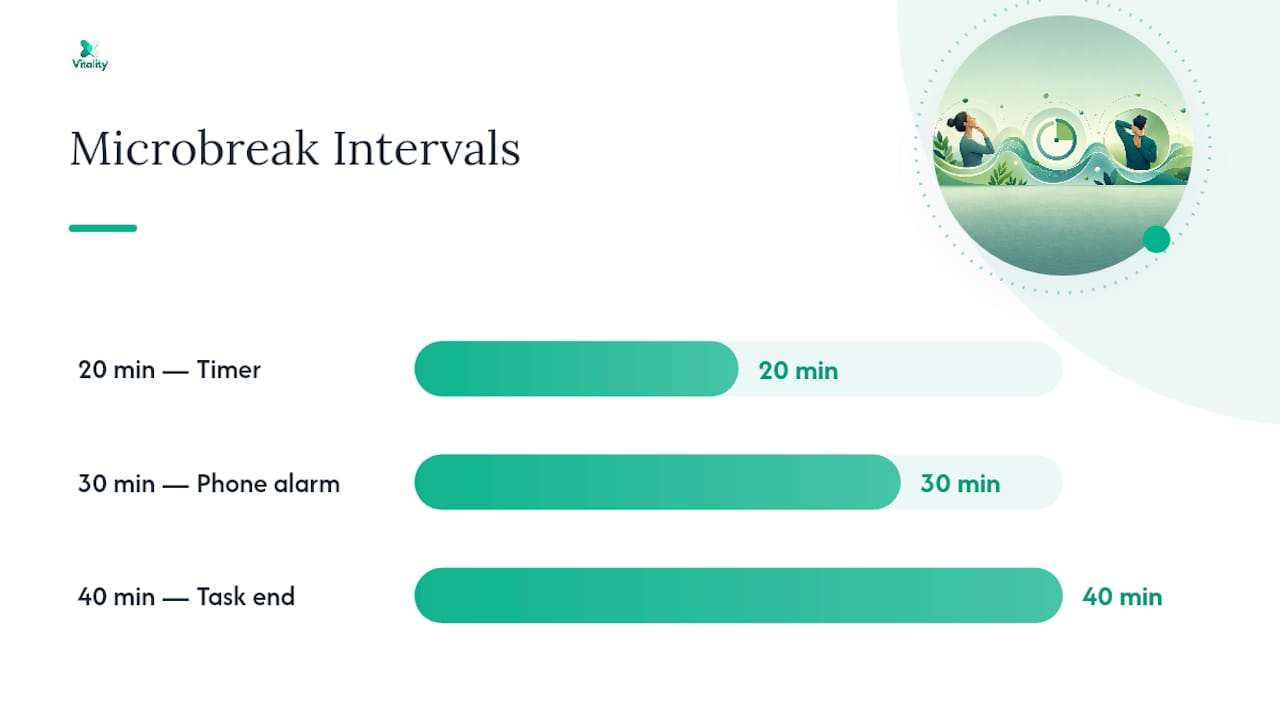
| Microbreak rhythm | Reset posture every 20 to 30 minutes; take a 60 to 90 second walk every 30 to 40 minutes. |
| Core exercises | Do 5 to 10 chin tucks hourly and 30-second upper trap and levator scapulae stretches twice daily. |
| When to see a clinician | Seek care for radiating arm pain, numbness, weakness, or pain unresolved after 2 to 3 weeks. |
| Device option | The Vitality™ MagicPro 2.0 and 3.0 fit into a 10 to 15 minute break as an adjunct to movement and setup fixes. |
Table of Contents
- Building a Neck Therapy During Work Hours Checklist That Actually Works
- Is Your Workstation Actually Set Up Correctly?
- Which Desk Exercises Relieve Neck Tension Fastest?
- How Often Should You Take Microbreaks?
- What Low-Cost Tools Actually Fix Neck Posture?
- When Does Neck Pain Need Professional Care?
- Can You Use a Neck Therapy Device During Work Hours?
- Why Small, Frequent Actions Beat One Big Fix
- Get More From Your Break Than a Cup of Coffee
- Sources
Building a Neck Therapy During Work Hours Checklist That Actually Works
A workable checklist for office-based neck therapy has three parts: workstation setup, movement breaks, and targeted exercises, in that order of priority. Fix your setup first, because a poor setup undoes any exercise you do on top of it. Harvard Health’s guidance on easing neck pain points to the same combination: move often, correct your ergonomics so the monitor sits at eye level, and cut down on habits like cradling a phone against your shoulder.
The term you’ll see in physical therapy circles for this kind of self-directed care is “postural hygiene.” It’s less clinical than it sounds. It just means the daily habits that keep your spine loaded evenly instead of concentrated on one set of muscles for eight hours straight. A neck therapy checklist is really a postural hygiene routine dressed in plain language, and both point at the same goal: interrupt the static load before it turns into pain.
Where people go wrong is treating stretches as the fix and ignoring the desk. You can do perfect chin tucks all day and still ache if your monitor sits six inches too low. The checklist below sequences the fixes in the order that gives you the most relief for the least effort.
Is Your Workstation Actually Set Up Correctly?
Most desk setups fail on three points: screen height, chair support, and reach distance. Here’s how to check each one in under two minutes.
- Test your monitor position. Sit normally and look straight ahead. The top third of your screen should be at or slightly below eye level, about 20 to 26 inches away, roughly an arm’s length. If you’re tipping your chin down or leaning forward to read text, the screen is too low or too far.
- Check your chair. Feet should sit flat on the floor with knees near a 90 degree angle. Your lower back should touch the lumbar support, not float in front of it. If the chair doesn’t adjust, a rolled towel behind your lower back closes the gap.
- Evaluate keyboard and mouse placement. Elbows should rest near 90 degrees, close to your body, wrists straight rather than bent up or down. Mouse placement matters more than people assume: a mouse positioned too far from the keyboard forces repeated shoulder reach that radiates tension into the neck, according to ergonomics research from the University of New Hampshire.
- Fix laptop-specific problems. A laptop screen sits too low for almost everyone. Raise it with a stand or stack of books, then plug in an external keyboard so your hands stay at a workable height while the screen stays at eye level.
- Change your phone habits. Speaker mode or a headset beats cradling a phone against your shoulder every time, and a document holder next to your monitor stops the head-down, head-up motion of glancing at papers on the desk.
| Setup Element | Correct Position | Quick Fix If Off |
|---|---|---|
| Monitor top edge | At or slightly below eye level | Stack of books or adjustable stand |
| Screen distance | 20 to 26 inches away | Slide desk or move chair back |
| Knee angle | Around 90 degrees | Footrest or lower chair height |
| Elbow angle | Around 90 degrees, close to body | Raise or lower chair, move keyboard closer |
| Lumbar support | Touching lower back | Rolled towel or small cushion |
Two fast diagnostics tell you where the trouble is. If you feel your chin drifting forward within ten minutes of sitting down, your screen is too low or too far. If your shoulder creeps up toward your ear while typing, your keyboard sits too high or too far from your body. Ergonomic adjustments and regular position changes reduce strain risk, even though the research on specific gadgets is mixed. The setup matters, but so does refusing to sit still in it for hours.
Which Desk Exercises Relieve Neck Tension Fastest?
Five movements cover almost everything a desk worker needs, and none require you to leave your chair or clear space around you.
- Chin tucks: draw your chin straight back without tilting up or down. Do 5 to 10 reps every 60 minutes. This is the single most effective move for reactivating the deep cervical flexors that forward head posture disables.
- Upper trap stretch: tilt your ear toward one shoulder while gently pressing that shoulder down with your opposite hand. Hold 30 seconds, 2 to 3 sets per side.
- Levator scapulae stretch: turn your head about 45 degrees, then tilt your chin toward your armpit. Hold 30 seconds per side. This muscle runs from the neck to the shoulder blade and tightens fast in anyone who hunches over a keyboard.
- Scapular squeezes: pull your shoulder blades together as if pinching a pencil between them, hold 5 seconds, release. Do 10 reps. This is a seated substitute for the prone Y raise you’d normally do on a mat.
- Shoulder rolls: slow backward circles, 10 reps, done any time tension builds.
Sequence them like this during a real workday:
- Chin tucks every hour, 5 to 10 reps, tied to a recurring alarm or meeting break.
- Upper trap and levator scapulae stretches once mid-morning and once mid-afternoon, 30 second holds, 2 to 3 sets each side.
- Scapular squeezes anytime you feel your shoulders rounding forward, 10 reps.
- Shoulder rolls as a reset after any stretch of typing longer than 20 minutes.
Simple stretches like these, including forward and back tilts, side rotation, and neck retraction, are safe for most people to do daily without special equipment.
Stop any stretch that produces sharp pain, tingling, or numbness down your arm. Mild pulling or tightness releasing is normal; anything neurological is not. In a shared office or hot desk situation, chin tucks and scapular squeezes are nearly invisible to coworkers, which makes them the easiest to actually stick with when you don’t want to explain what you’re doing.

Pro Tip: *If your office feels too public for stretching, do the movement smaller and slower rather than skipping it.
How Often Should You Take Microbreaks?
Every 20 to 30 minutes is the range that keeps cervical tissue from settling into a fixed load, and the exact rhythm you choose matters less than actually keeping it. Micro-movements repeated every 20 to 60 minutes are easier to sustain than occasional long breaks, and they prevent the gradual tissue loading that builds into stiffness by mid-afternoon.

Three schedules work for different types of workdays:
| Rhythm | Trigger | Micro-Action |
|---|---|---|
| Every 20 minutes | Timer or app alert | 20-second posture reset, look 20 feet away |
| Every 30 minutes | Phone alarm or calendar block | 60 to 90 second walk, 5 chin tucks |
| Every 40 minutes | End of a task or call | 10 shoulder rolls, 30-second stretch, refill water |
For timers, a phone alarm works fine, but a desktop break app or a recurring calendar block removes the need to remember it yourself. Calendar blocks work especially well if your day is full of back-to-back meetings, since you can drop the reset in the two minutes between calls.
Three moments in a typical day are worth anchoring a routine to:
- Start of day: two minutes of chin tucks and shoulder rolls before you open email, while your neck is still fresh.
- Mid-morning: the 20 to 20 to 20 rule, look 20 feet away for 20 seconds every 20 minutes, paired with a posture reset. This started as eye-strain advice but doubles as a neck-saving habit since it forces you to lift your head and change focus distance.
- Post-meeting: a 90 second walk right after any call longer than 30 minutes, since sustained sitting during meetings is often the longest static stretch of the day.
What Low-Cost Tools Actually Fix Neck Posture?
You don’t need an expensive setup to fix the mechanical causes of desk-related neck pain. A handful of items under $30 solve most of the problems a full ergonomic overhaul would address.
- Laptop riser or a stack of books: raises the screen to eye level, the single highest-impact fix for anyone using a laptop as a primary monitor.
- External keyboard: lets you keep the laptop screen high while your hands stay at a comfortable typing height.
- Phone headset or speaker mode: eliminates the shoulder-cradle habit that strains one side of the neck asymmetrically.
- Monitor riser or adjustable arm: fine-tunes screen height for desktop setups, especially useful when multiple people share the same desk at different heights.
- Lumbar roll or rolled towel: fills the gap between your lower back and an unsupportive chair.
- Document holder: keeps reference papers at eye level instead of flat on the desk, cutting down repetitive head-down glances.
In shared offices or hot desks, portable items win. A laptop riser, headset, and small lumbar roll fit in a bag and travel with you between desks, which matters if your office doesn’t let you claim a fixed workstation. Alternating between sitting and standing setups also helps, since no single position, however well adjusted, is meant to be held for eight straight hours.
When Does Neck Pain Need Professional Care?
Most mechanical neck pain from desk work improves within 2 to 3 weeks with consistent self-care: movement, posture correction, and the exercises above. Cases involving deeper tissue tightness sometimes take longer. Targeted rehabilitation combining deep neck flexor work with manual therapy often shows meaningful improvement within 3 to 6 weeks for people who need more than self-directed care.
Certain symptoms mean you should stop self-treating and see a clinician instead of pushing through the checklist:
- Pain that radiates down your arm, especially with tingling or numbness in your hand or fingers.
- Noticeable weakness in your arm or grip.
- Fever alongside neck pain or stiffness.
- Unexplained weight loss paired with persistent neck pain.
- Pain that is severe, worsening, or unrelenting despite rest and self-care.
Any of these warrants a call to your doctor rather than another round of stretches.
For everyday mechanical soreness, short-term self-care is appropriate and well supported. Ice works best in the first 48 to 72 hours, followed by heat, and over-the-counter pain relievers like acetaminophen or NSAIDs can take the edge off while your body settles down. Avoid two common mistakes: extended bed rest, which slows recovery because staying active within your pain limits supports blood flow and muscle engagement better than lying still does, and wearing a soft collar for more than a week or a few hours a day, since prolonged use risks weakening the muscles you actually need to strengthen.
Pro Tip: Track how your neck feels at the same time each day for a week. A pattern of afternoon flare-ups almost always points back to your setup, not your body.
Can You Use a Neck Therapy Device During Work Hours?
Short device sessions fit into a workday without disrupting it, typically 10 to 15 minutes during a lunch break or two shorter 5 to 10 minute sessions spaced through the day. A compact device like the Vitality™ MagicPro 2.0 combines electrical muscle stimulation, heat, and massage in one wearable unit, which means you can run a session while reviewing email or sitting through a quiet stretch of the afternoon rather than needing to step away entirely. The newer Vitality™ MagicPro 3.0 adds vibration and red light therapy to the same combination, aimed at people who want a broader session without adding time to it.
A short usage checklist keeps a work-hours session safe and effective:
- Position: sit upright with the device seated evenly across the back of your neck, not shifted to one side.
- Session length: 10 to 15 minutes is typical; don’t exceed the manufacturer’s recommended duration in one sitting.
- Intensity: start on the lowest setting and increase gradually. You should feel warmth and gentle stimulation, never sharp discomfort.
- Contraindications: skip device use if you have an implanted electronic device like a pacemaker, open wounds or skin irritation on the neck, or are pregnant, and check with a clinician first if you have any of these.
- Ask a clinician if: pain persists beyond a few weeks, worsens with use, or comes with any of the red flag symptoms covered above.
Treat a device like this as one layer in the checklist, not a replacement for the rest of it. No amount of heat and stimulation fixes a monitor sitting eight inches too low. The devices work best paired with the workstation fixes and movement breaks already in this checklist, used during the minutes when you’d otherwise be sitting still anyway.
Why Small, Frequent Actions Beat One Big Fix
Most people try to solve desk-related neck pain with one dramatic change: a new chair, a single long stretching session after work, or a weekend spent fixing their entire setup at once. It rarely holds. The habit that actually survives contact with a real workweek is smaller and more boring than that, and it’s tied to something you’re already doing.
Pair your chin tucks with your coffee refill. Do your shoulder rolls right after you hang up a call. The trigger matters more than the exercise itself, because willpower fades by 2 p.m. but habits triggered by routine events don’t need willpower at all.
A simple one-week build plan works better than trying to adopt the full checklist on day one. In week one, add just the monitor check and one exercise, say chin tucks, tied to your first coffee of the day. In week two, layer in the microbreak timer. By week three, most people find the stretches and posture resets have become automatic enough that they no longer think about them as a “checklist” at all; they’ve become how you sit.
The insight that changes outcomes the most: micro-movements work best when they happen before pain starts, not after. Waiting for the ache to show up before doing your chin tucks means you’re always playing catch-up against tissue that’s already tightened. The point of running this routine on a schedule, rather than reactively, is to interrupt the load before it accumulates into something that actually hurts by Thursday afternoon.
Get More From Your Break Than a Cup of Coffee
A five-minute break spent scrolling your phone does nothing for your neck. A five-minute break spent running a session on a device built for exactly this does. The Vitality™ MagicPro 2.0 fits into the same window you’d otherwise spend standing at the coffee machine, delivering electrical muscle stimulation, heat, and massage in roughly 15 minutes without asking you to leave your desk or change into workout clothes.
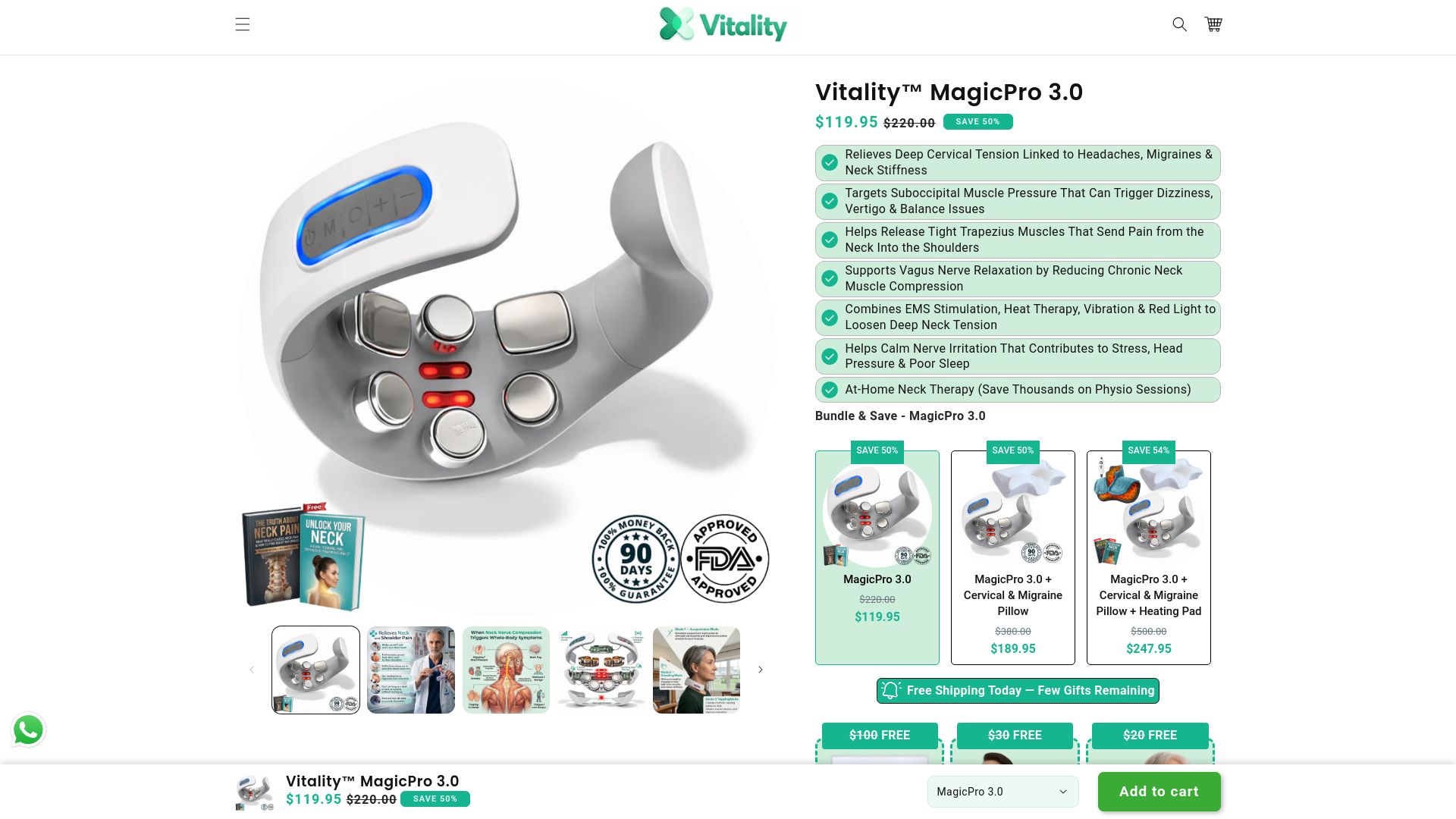
If you want the fuller version with vibration and red light therapy layered in, the Vitality™ MagicPro 3.0 is the step up, and you can compare both side by side on the Vitality™ Devices collection page. Either device works as a companion to the checklist above, not a substitute for movement and ergonomics, and if your neck pain is severe or comes with any red flag symptoms, talk to a clinician before adding a device to your routine. Browse the collection to find the option that fits your workday, and start your next break with a real reset instead of another scroll.
Sources
- Neck pain - Diagnosis and treatment - Mayo Clinic
- 6 ways to ease neck pain - Harvard Health
- Neck pain - self care (NCBI Bookshelf)
- Neck pain or spasms - self care: MedlinePlus Medical Encyclopedia
This article provides general information and is not a substitute for professional medical advice; consult a qualified clinician for persistent or severe neck pain.